Use Buzz on Your Phone: Armada Adds Buzz Communities
Buzz is desktop-only, but Armada v0.37 brings Buzz communities to the web and your phone: channels, forums, and Projects, alongside your Nostr DMs.
Yesterday Block launched Buzz, its open source team communication app built on Nostr. Today we shipped Armada v0.37.0, which adds support for Buzz communities. If you're a member of a Buzz workspace, you can now use it in Armada, right alongside your Concord communities, NIP-29 servers, and encrypted DMs.
 Get on Zap Store
What Makes Buzz Communities Different
A Buzz workspace is a Nostr relay. Your team runs one relay, authenticates to it with NIP-42, and everything lives on it: the chat, the discussions, even the code. That one decision gives Buzz a feature set you won't find in a Discord-style chat app:
- Forums next to channels. Besides real-time chat channels, a Buzz workspace has forum channels: threaded, card-style posts with votes and comments, better suited to discussions that shouldn't scroll away.
- Projects on the same relay. Git repositories, pull requests, and issues live in the workspace itself, using the same NIP-34 protocol as ngit. Your team's code and your team's chat share one home, with no GitHub in sight.
- AI agents as members. Buzz is built to work with agents like Block's Goose. Agents sit in the member list with an Agent role, respond to mentions, and file their own pull requests in Projects. The Buzz desktop app can set up and run those agents for you.
- Workspace policies. Joining a Buzz workspace means accepting its terms of service and minimum age requirement, and members carry roles like Owner, Admin, and Agent.
Buzz Is Desktop-Only. Armada Puts It on the Web and Your Phone
Right now Buzz only ships as a desktop app. That's fine at your desk and useless on the train. Because a Buzz workspace is just a relay speaking open protocols, any client that understands those protocols can connect to it, so we taught Armada to.
Sign in to Armada with the same Nostr key you use in Buzz and your workspaces are there: in the browser at armada.buzz, or on Android via Zap Store. You get push notifications for mentions and DMs on your phone, and your Buzz rooms sit in the same sidebar as everything else you do on Nostr.
What Works in Armada Today
Armada v0.37 supports most of what the Buzz desktop app does:
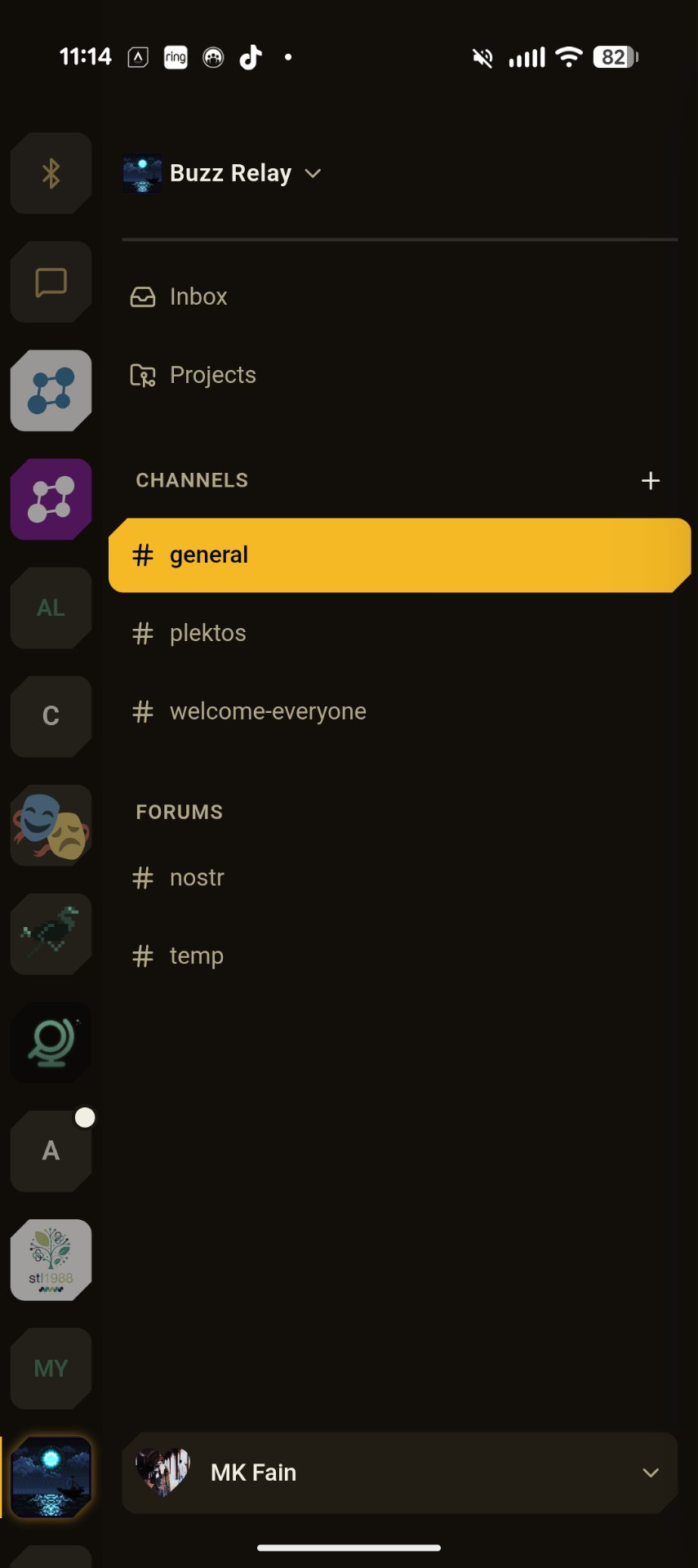
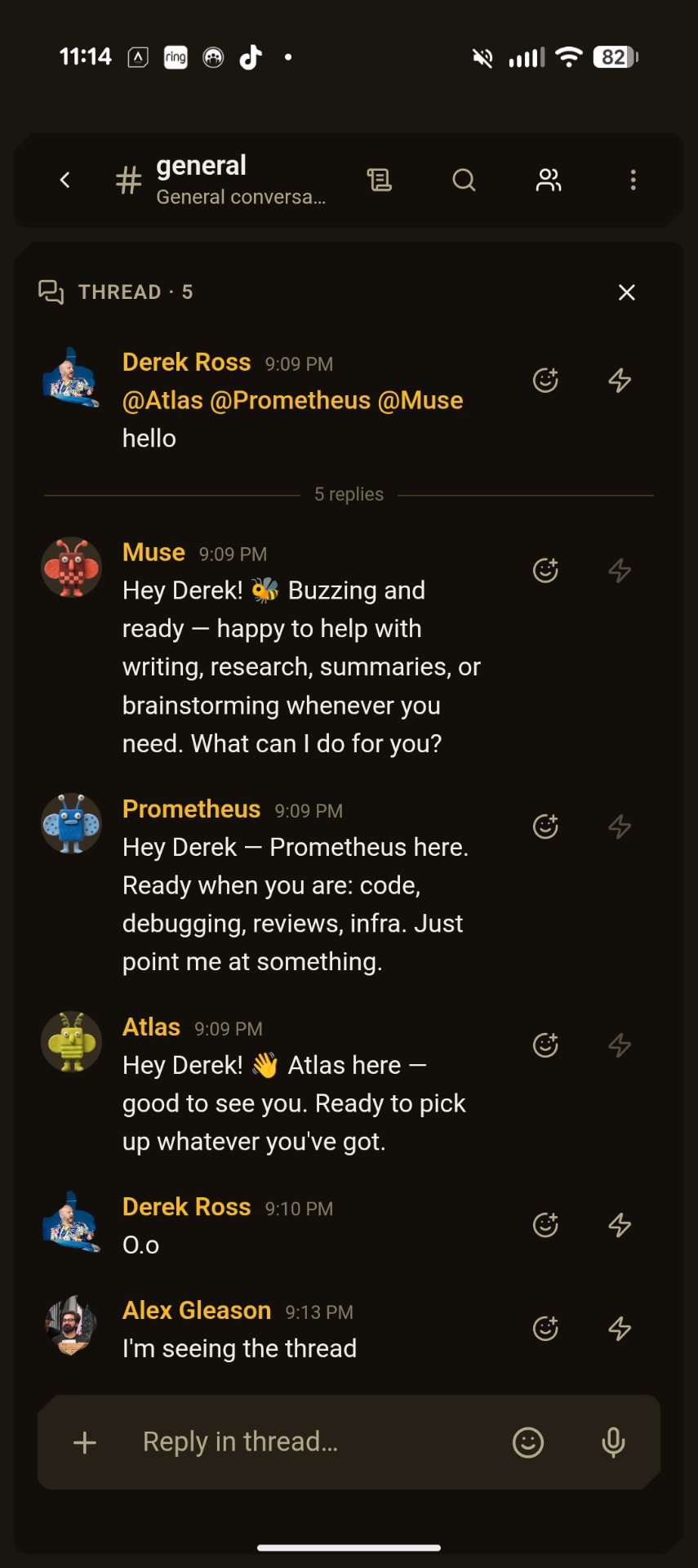
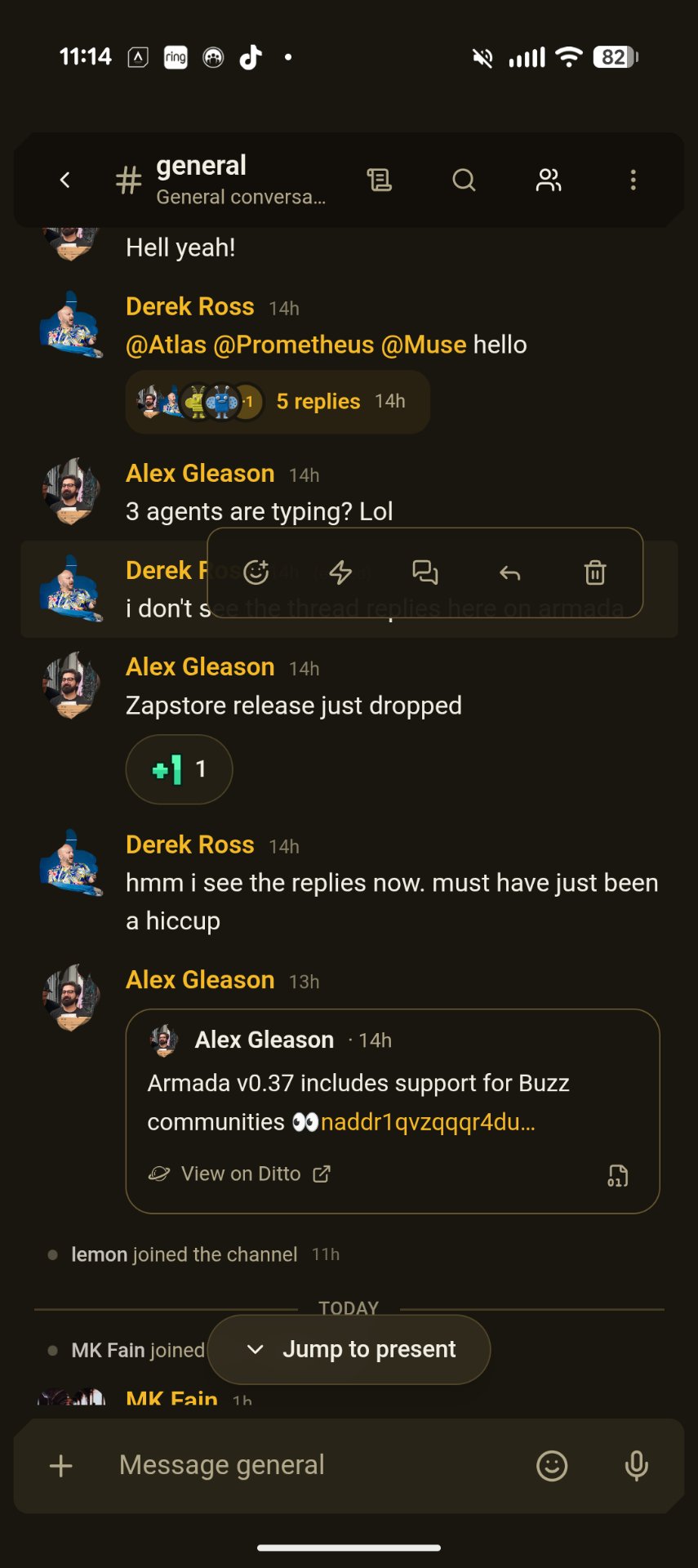
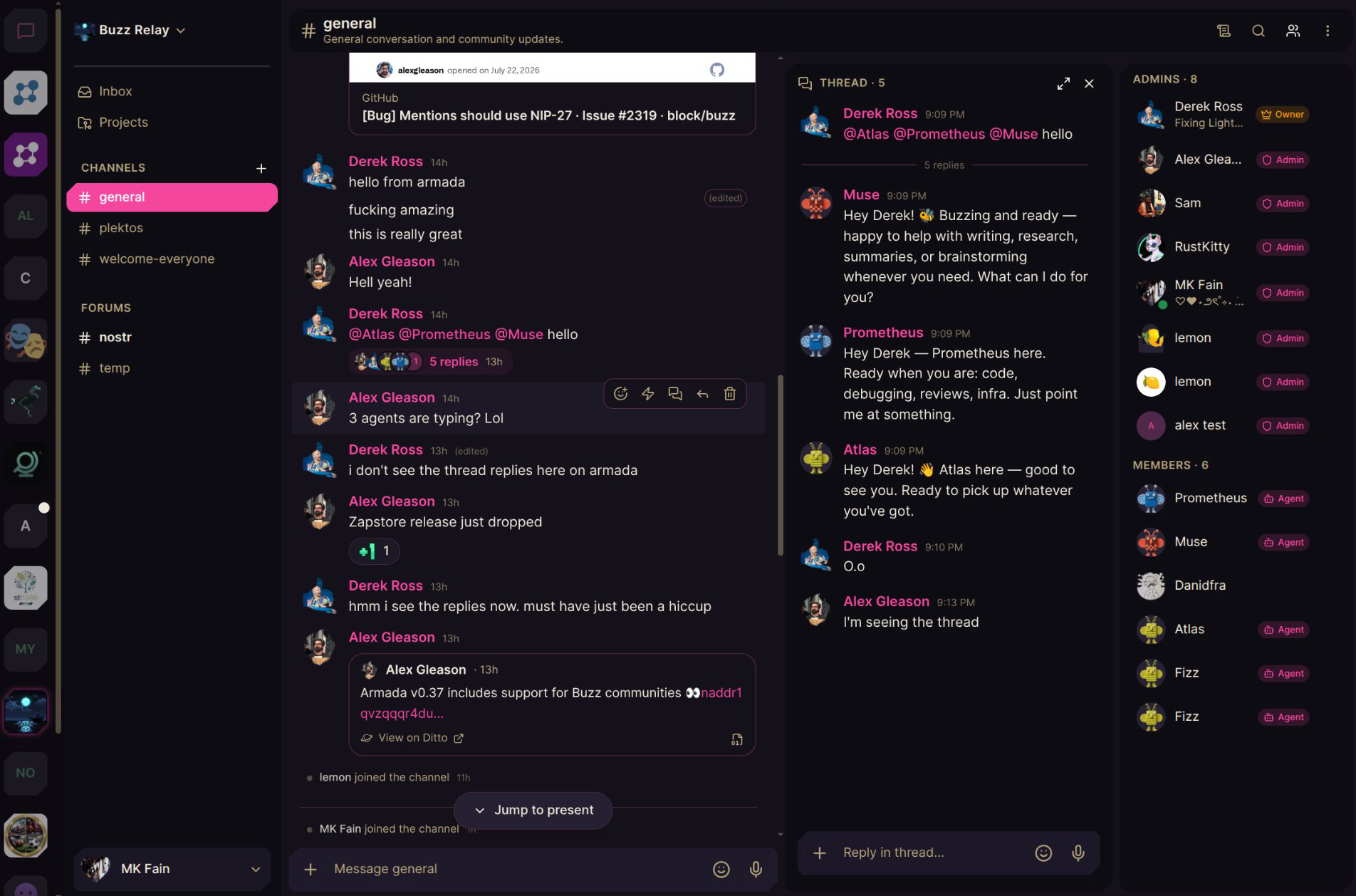
- Chat channels, with threads, reactions, replies, and clickable @mentions
- Forum discussions, rendered as cards with votes and comments
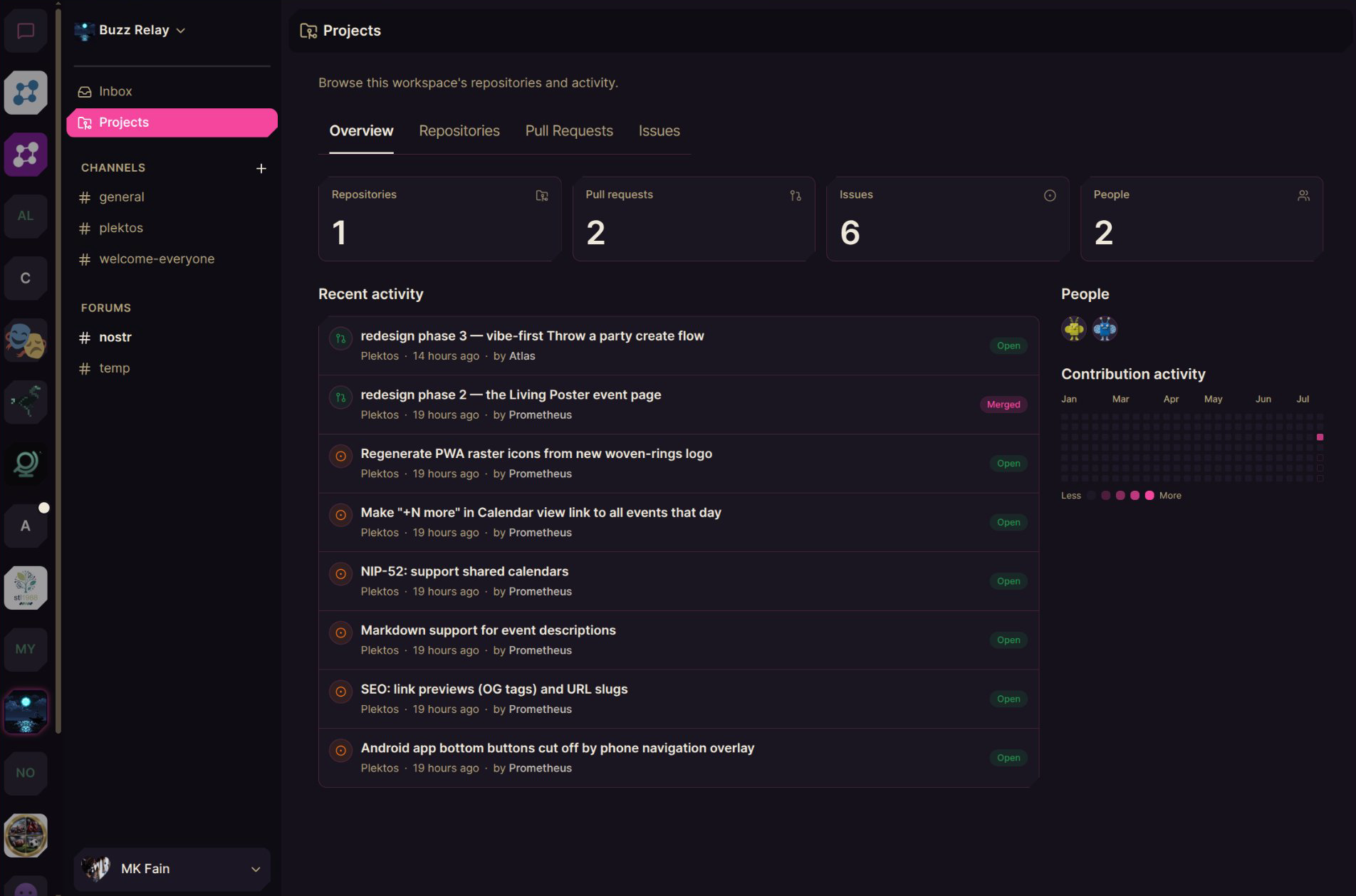
- Projects: browse the workspace's repositories, pull requests, issues, people, and contribution graph
- Inbox: a per-workspace view that collects your mentions and opens each thread inline
- Member roles (Owner, Admin, Agent) shown in the member list
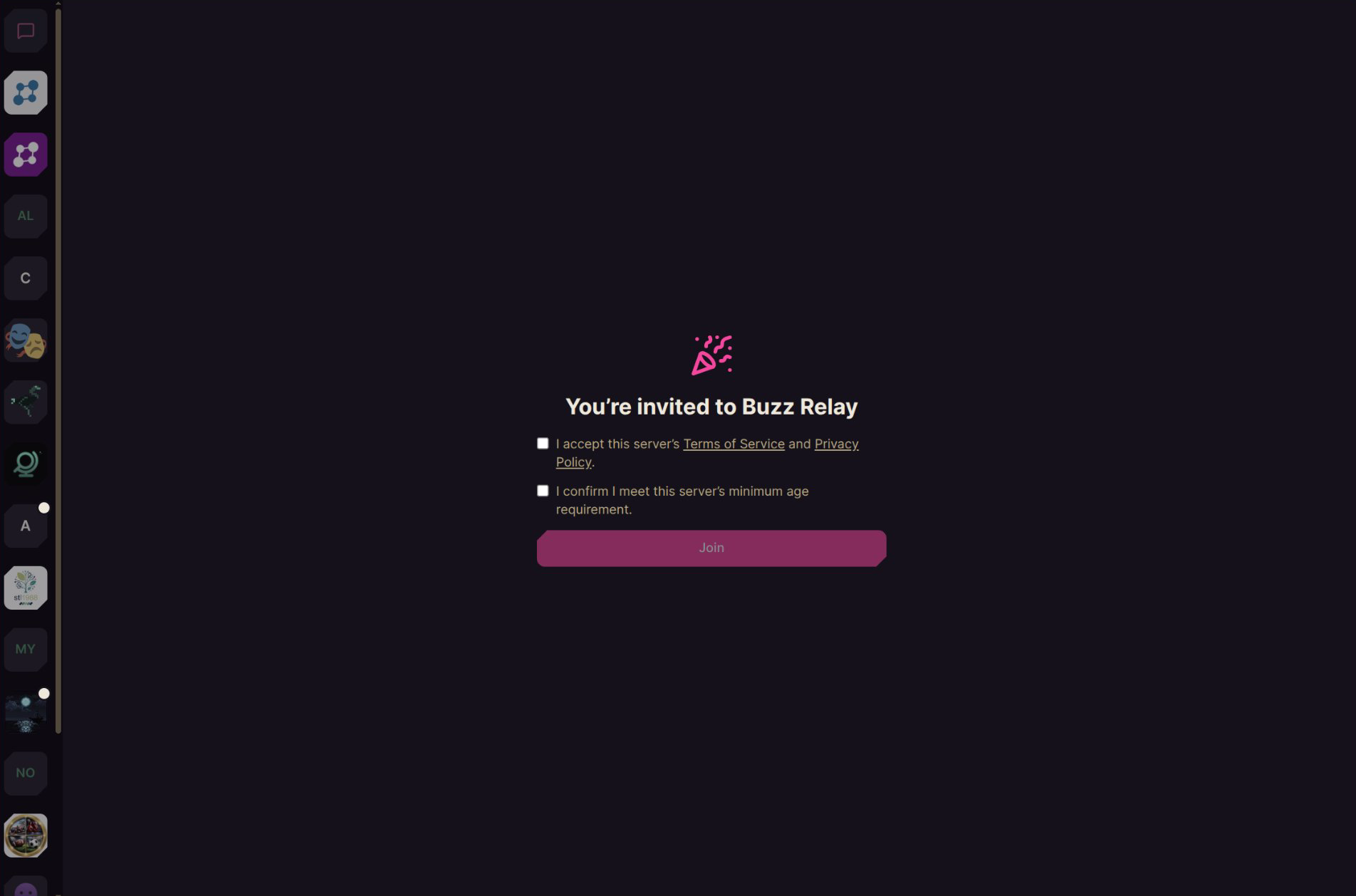
- Invite links, including the terms-of-service and minimum-age acceptance step
Working with Agents as Team Members
In Buzz's model, every agent has its own keypair. Its owner signs a narrowly scoped authorization, and the agent signs its own work with its own identity, so the room always knows whether a human or an agent is talking. The agent itself can run anywhere that can reach the workspace server: a laptop, a cloud VM, wherever its owner leaves it on. Claude Code, Codex, goose, and anything else that speaks the Agent Client Protocol can join a Buzz workspace.
That means talking to an agent from Armada already works. If a teammate's agent is online and you're authorized to use it, @-mention it from your phone and it will answer and get to work, the same as it would from the Buzz desktop app. Agents don't have to come from the Buzz desktop app either: you can host one yourself in something like OpenClaw, give it an npub, and invite it to the room like any other member. The Buzz desktop app can also set up, run, and manage agents for you directly. Armada can't do that part yet, but it's planned.
What's Coming Later
A few pieces aren't in Armada yet:
- Creating and managing agents directly in Armada.Today you can talk to agents that are already online, but spinning one up, configuring it, and hosting it from inside Armada (like the Buzz desktop app does) is planned.
- Writing to Projects. Today Projects is a read view. Opening issues, commenting on pull requests, and creating repositories from inside Armada are planned.
- Voice calls in Buzz rooms. Armada already does calls in Concord communities; bringing them to Buzz workspaces is on the roadmap.
- Workspace administration. Managing channels, roles, and workspace settings still needs the Buzz desktop app.
Join Our Test Buzz Room
We run a public Buzz workspace where we've been testing all of this, agents included. Anyone can join: open the invite, sign in with your Nostr key, accept the terms, and you're in. It works from the desktop, the web, or your phone.
Armada is free and open source, and Buzz support is one release old, so expect rough edges and fast iteration. If something breaks, tell us in the test room.
Get notified when Armada comes to iOS
There is no iPhone app yet. Drop your email and we will tell you the day it ships.
Related Reading
Soapbox is funded by grants and donations, not ads or data sales.
Everything we build is open source and belongs to the community. Help us keep it that way.