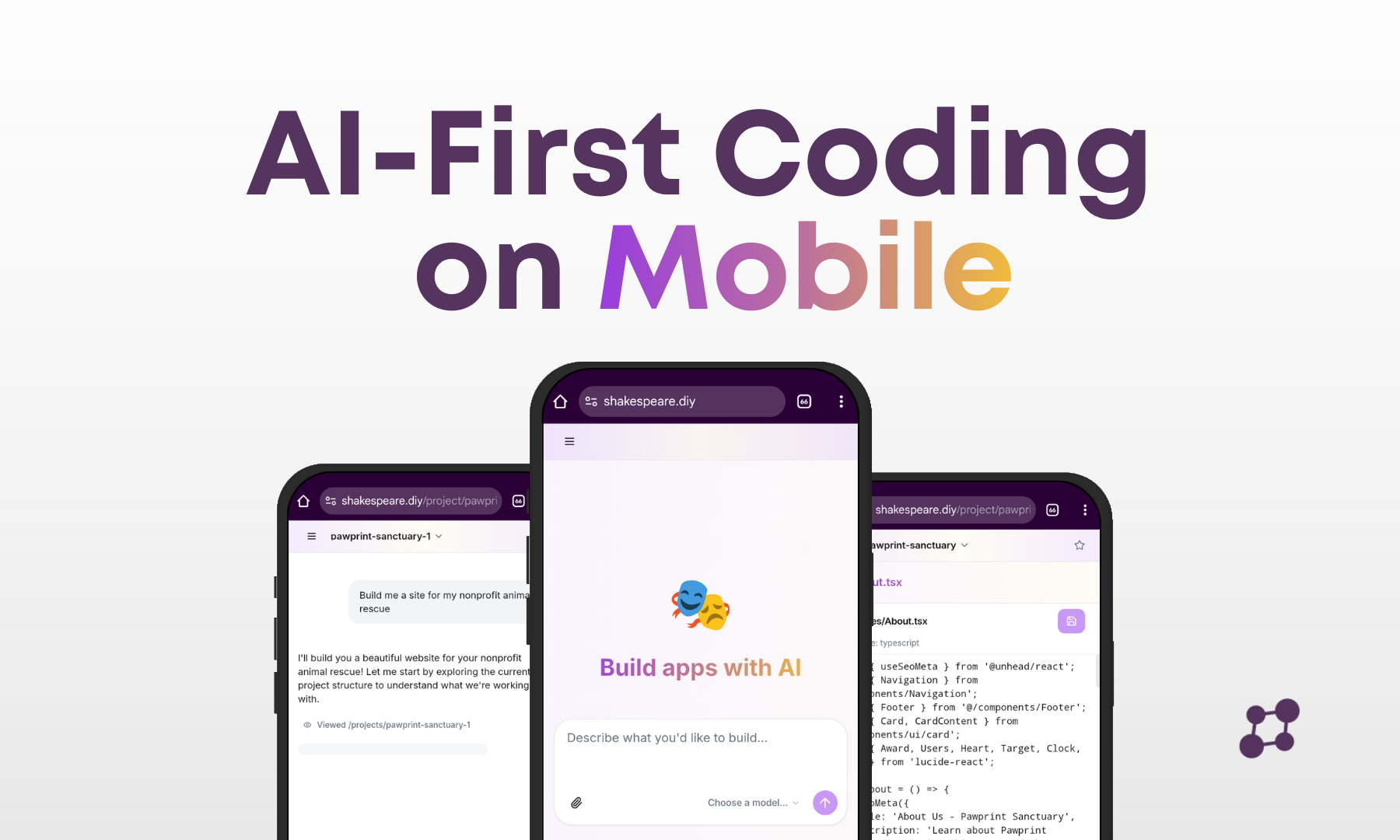
AI-First Development on Mobile: Shakespeare Changes the Game
While other vibe coding apps struggle to gain traction on mobile, Shakespeare delivers a full AI development experience that works beautifully on your phone. Here's how to get started.
If you've tried using AI to build apps on your phone, you've probably been disappointed. A recent TechCrunch report found that dedicated mobile apps for vibe coding have largely failed to gain traction:
"Despite the massive success of vibe-coding startups on desktop (with billion-dollar valuations), dedicated mobile apps in this space have virtually failed to gain traction. The largest app, Instance: AI App Builder, has only 16,000 downloads and $1,000 in consumer spending. The consensus: vibe coding is not ready for prime time on mobile devices."
The data paints a bleak picture for mobile developers who want to build with AI. Most solutions are clunky, limited, or simply don't work well on smaller screens. But there's an exception that the mainstream hasn't discovered yet.
Shakespeare: The Mobile Exception
Shakespeare is a Progressive Web App (PWA) that installs directly on your phone and works like a native app. Unlike dedicated mobile coding apps that try to reinvent the wheel, Shakespeare leverages modern web technology to deliver a full development experience that actually works on mobile.
Installs on your home screen, works offline
Sync projects between all your devices
Build entire apps through conversation
See your changes instantly on mobile
Getting Started: Install Shakespeare as a PWA
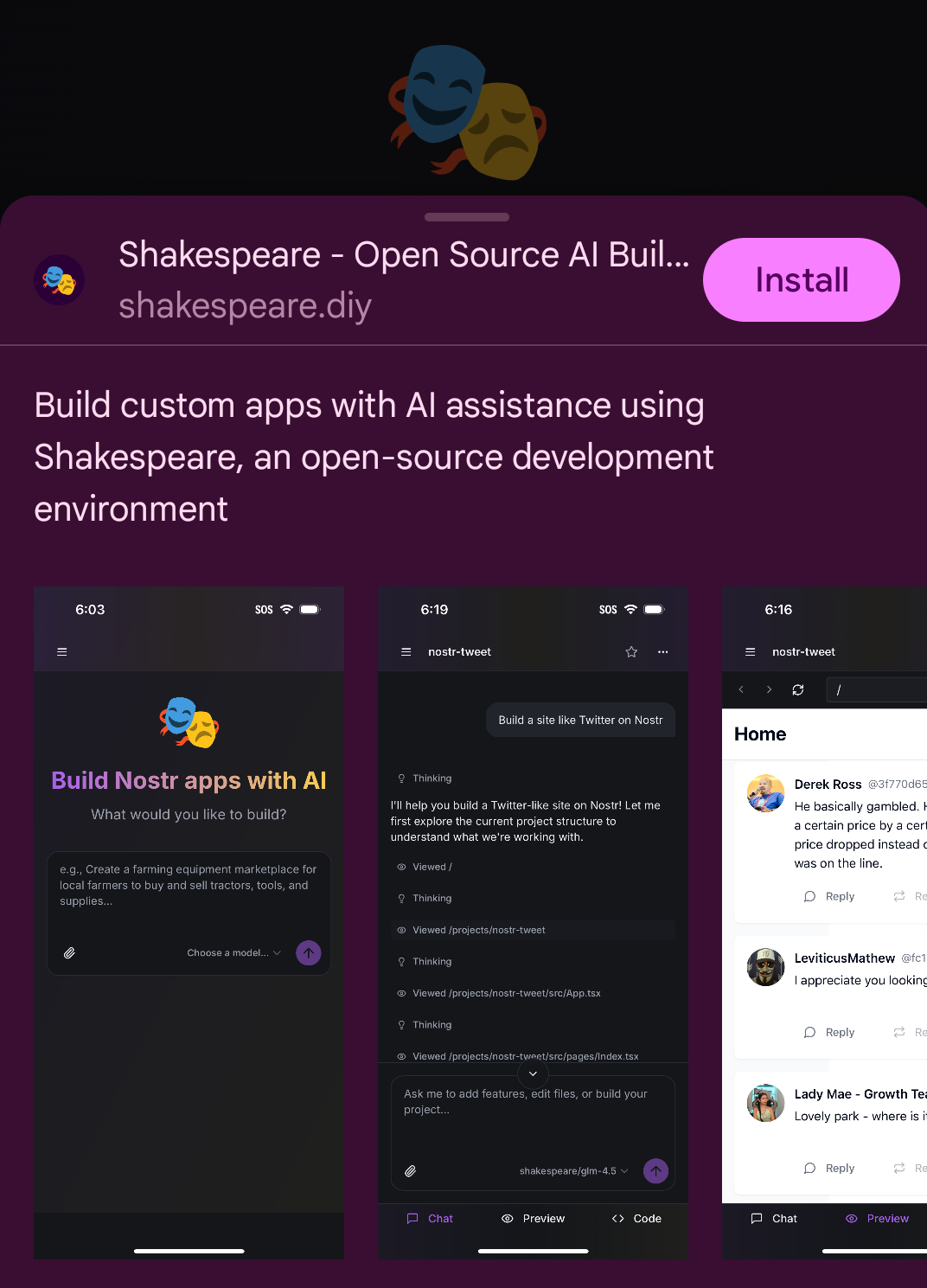
The first step is to install Shakespeare on your mobile device. Visit shakespeare.diy in your mobile browser and you'll see the option to install it as an app.
Step 1: Install the PWA
Open shakespeare.diy in your mobile browser
Tap the Install button when prompted (or use your browser's "Add to Home Screen" option)
Shakespeare will now appear on your home screen like any other app
Step 2: Sign in with Nostr
To sync your projects across devices, you'll need to sign in with your Nostr account. This enables Nostr Git, which lets you push and pull code changes from any device.
Open the menu and go to Settings
Select Nostr
Add your Nostr account by signing in with a Nostr signer extension or entering your nsec

Why Nostr? Nostr Git is a decentralized version control system that stores your code on Nostr relays. This means you own your code, can access it from any device, and don't depend on any single company's servers.
Step 3: Create or Import a Project
You can start a new project from scratch or import an existing one. If you've already created projects on desktop, you can import them directly using Nostr Git.
Create a New Project
Tap the + New Project button to start fresh. Just describe what you want to build and let the AI create it for you.
Import from Nostr Git
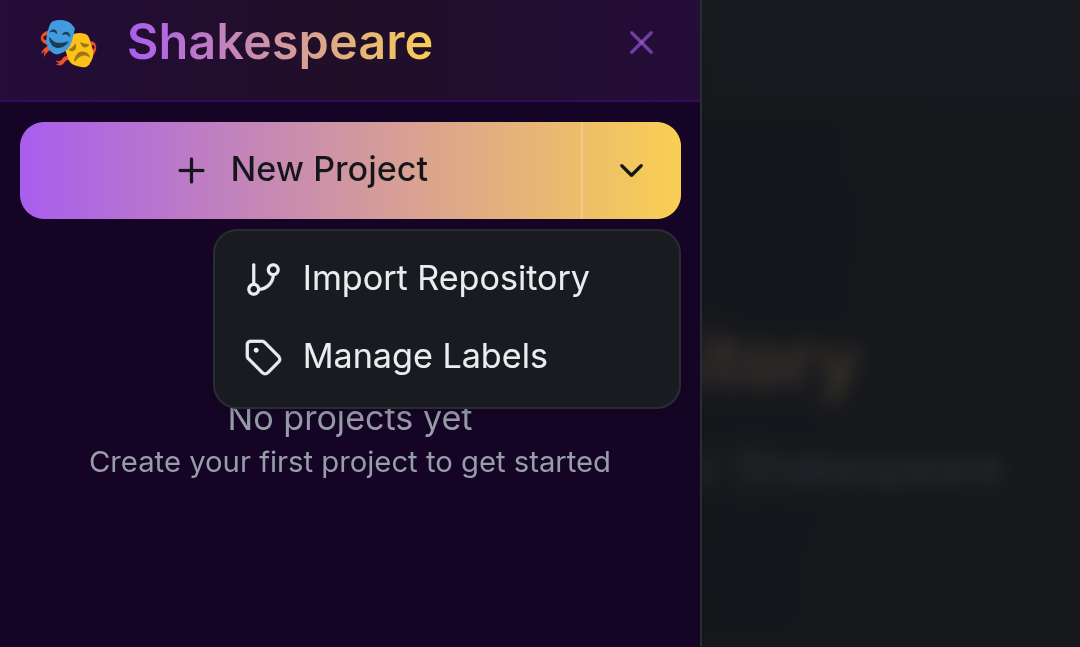
Click the dropdown arrow next to "New Project" and select Import Repository. You'll see your existing Nostr Git projects listed under "My Projects".
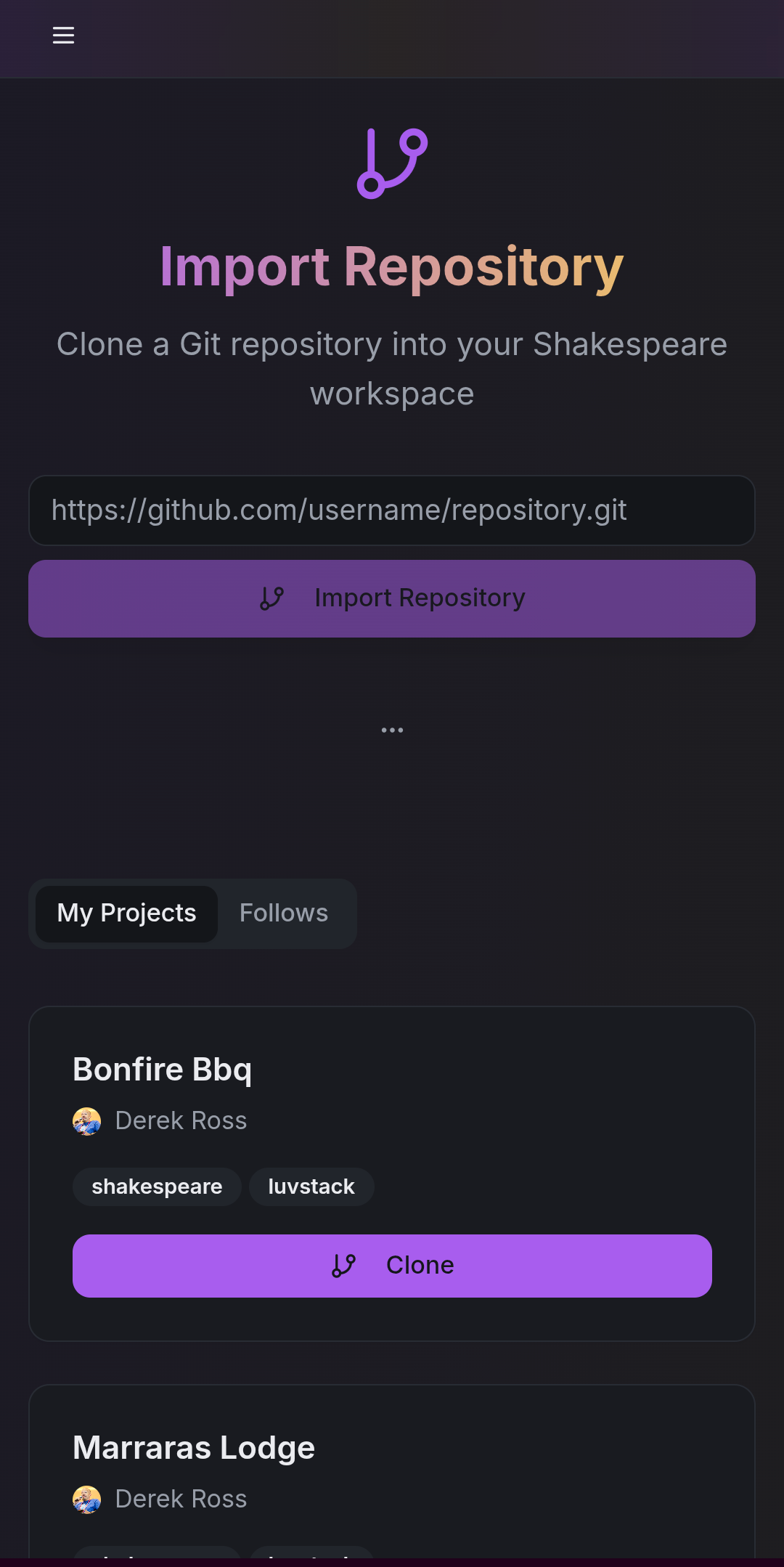
Simply tap Clone on any project to import it to your mobile device.
Step 4: Work on Your Project
Once your project is imported, you'll see a success message and be ready to start developing. Shakespeare on mobile has all the same features as desktop:
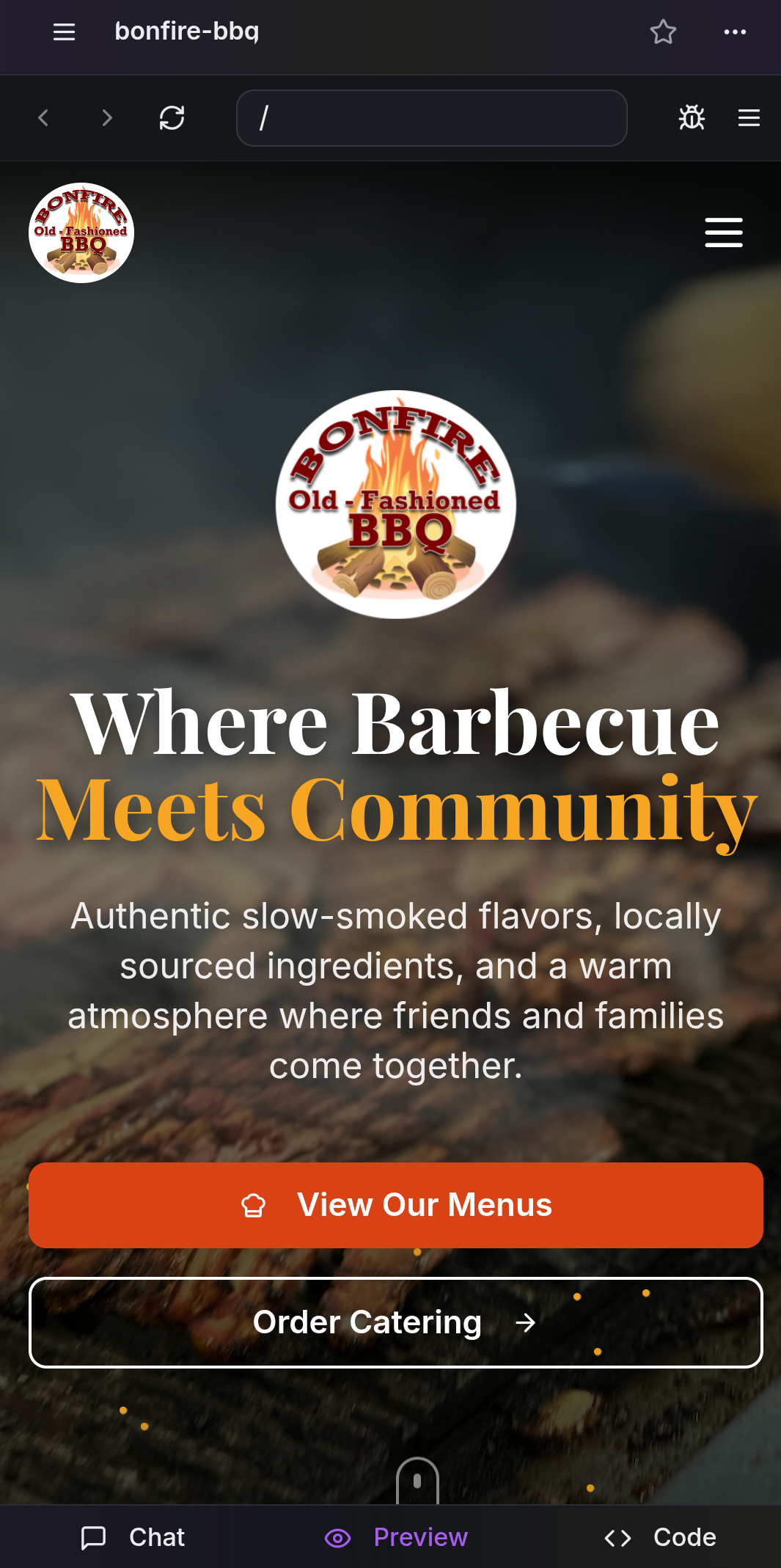
Live Preview
See your app running in real-time as you make changes.
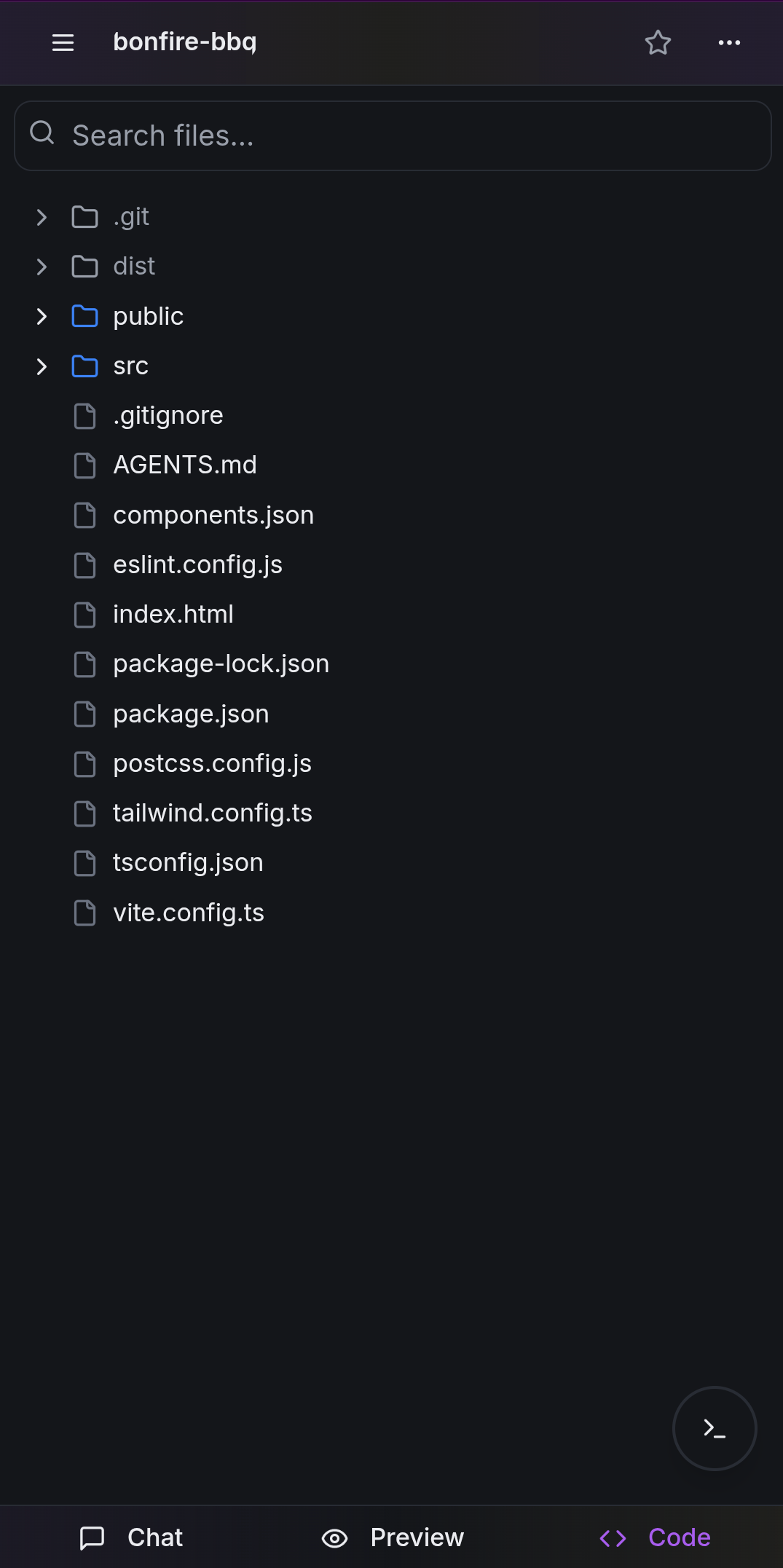
Code View
Browse and edit your project files directly.
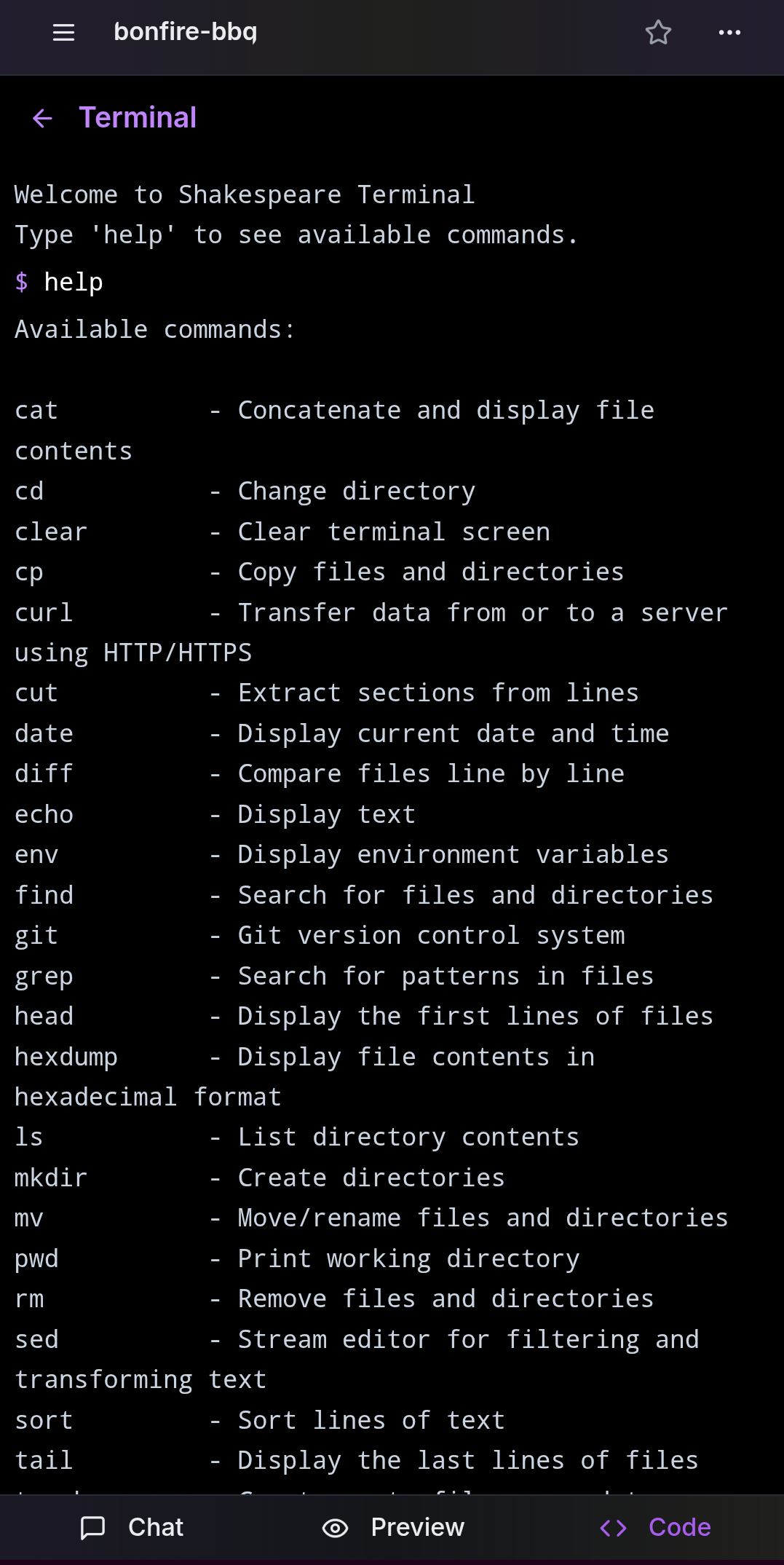
Terminal Access
Run commands like curl, hexdump, and git directly from your phone.
Syncing Your Work Between Devices
One of the most powerful features of Shakespeare is seamless device sync via Nostr Git. Any changes you make on your phone can be pushed to Nostr relays and pulled on your desktop (or any other device).
How Device Sync Works
Start on Desktop
Create your project and push it to Nostr Git
Continue on Mobile
Import the repository on your phone and keep building
Push Changes
When you're done, push your mobile changes to Nostr Git
Pull on Any Device
Your changes are now available on desktop or any other device
This workflow means you're never stuck waiting to get back to your computer. See a bug while you're out? Fix it on your phone. Have an idea during lunch? Start building it immediately. Your work follows you everywhere.
Why Shakespeare Works When Others Don't
The reason most mobile vibe coding apps fail is they try to recreate a desktop IDE experience on a tiny screen. Shakespeare takes a different approach:
- Conversation-first interface - You don't need to navigate complex menus or type precise code. Just tell Shakespeare what you want in plain language.
- PWA architecture - By running as a web app, Shakespeare works on any device with a modern browser. No app store approval delays or platform restrictions.
- Decentralized sync - Nostr Git means your code isn't locked in anyone's cloud. It's stored on relays you choose and accessible from anywhere.
- Mobile-optimized UI - The interface adapts to smaller screens, with easy switching between Chat, Preview, and Code views.
Ready to Code from Anywhere?
Join the developers who are building real apps on their phones with Shakespeare. It's free to try and works on any mobile device.
Works on iPhone, Android, and any device with a modern browser
Get the latest Shakespeare updates and resources
Stay updated with the latest features and announcements. Optionally provide your npub to link your account.
Soapbox is funded by grants and donations, not ads or data sales.
Everything we build is open source and belongs to the community. Help us keep it that way.